
YouTube, made safe for kids.
Kovi lets you curate exactly what your child can watch on YouTube. They browse, search, and play, but only what you've approved.
Why parents choose Kovi
You're in control
Approve videos and channels, block anything you don't want, and set the boundaries. Nothing reaches your child until you say yes.
They explore safely
Your child browses, searches, and requests new videos, and only ever plays what you've approved.
Stay in the loop
Review every request and see a full history of what your child has watched and searched for, so nothing slips past you.
How it works
Kovi is one app with two sides: a kid mode your child lives in, and a parent mode where you make every content decision.
Set up your family
Create a parent account and add your child. Pair their device by scanning a QR code. Your child never needs an account or a password.
They search
Your child browses and searches YouTube freely. Anything you haven't approved shows a Request button instead of playing. One tap sends it to you.
You decide, from anywhere
A notification arrives the moment your child asks. Approve or block right from your phone, and review watch and search history any time.
They watch
Approved videos and the channels you subscribe to fill your child's home screen, ready to watch. Nothing else does.
The guardrails behind it
Every rule is enforced on Kovi's servers, not just hidden in the app, so there's nothing for a clever kid to work around.
Approval comes first
Nothing plays until a parent says yes. Every list your child sees is checked against your decisions before it reaches their device.
No algorithm, no rabbit holes
There's no recommendation feed. The home screen shows only the latest uploads from channels you chose to subscribe to.
A safer player
No description, no comments and no outside links.
Age-restricted stays out
Videos YouTube marks as age-restricted are stripped from search, channels, and the home screen automatically.
Blocked means gone
Block a channel and it disappears from your child's search results, home screen, and history.
Search without the scary parts
Kids can search YouTube, but results are filtered first, and every search they run shows up in your history view.
A peek inside Kovi
The kids app, on iPad or iPhone
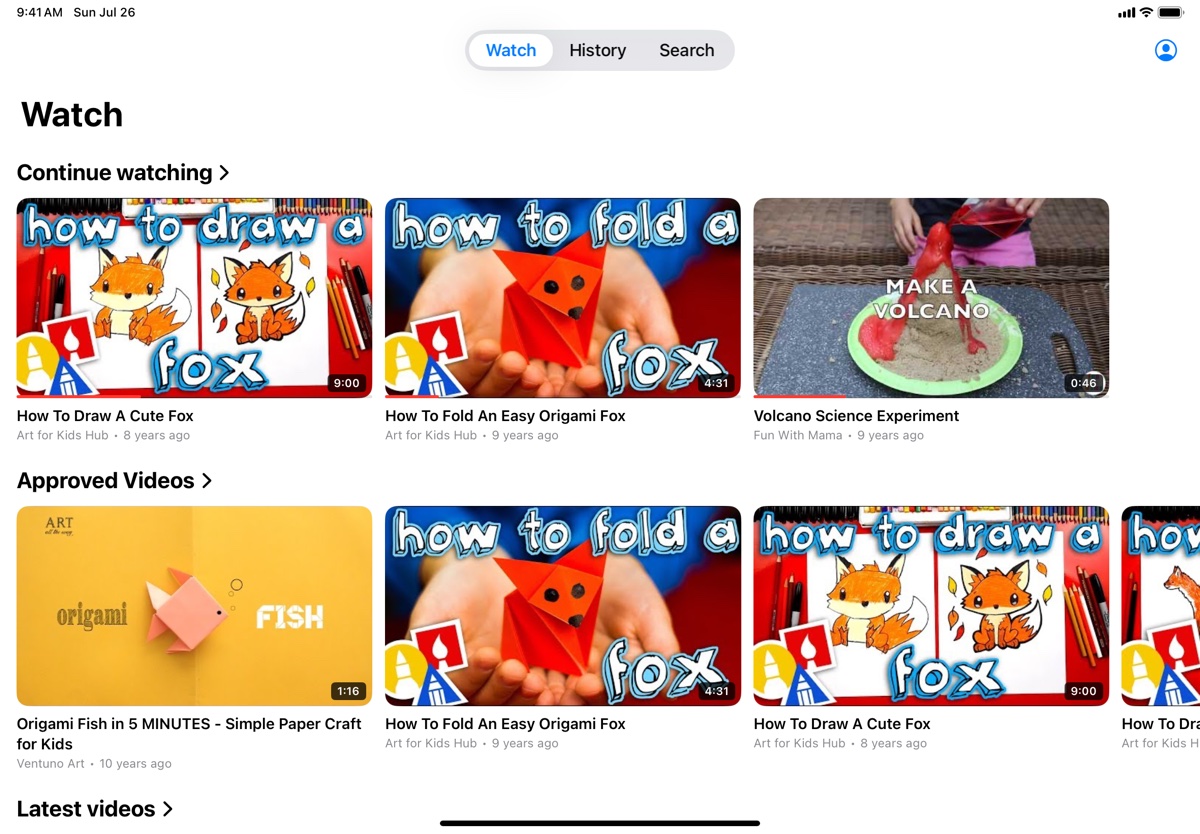
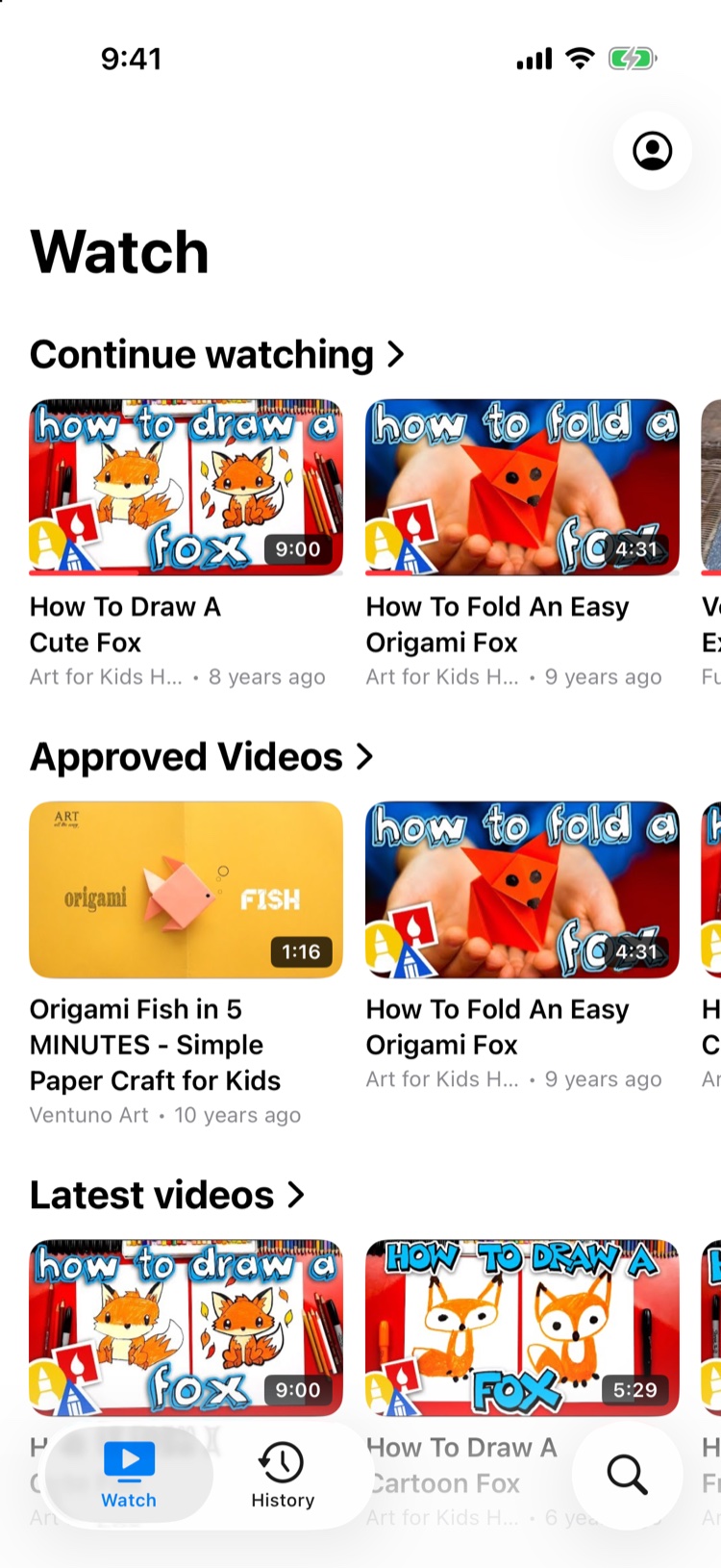
Their home, filled with your approvals
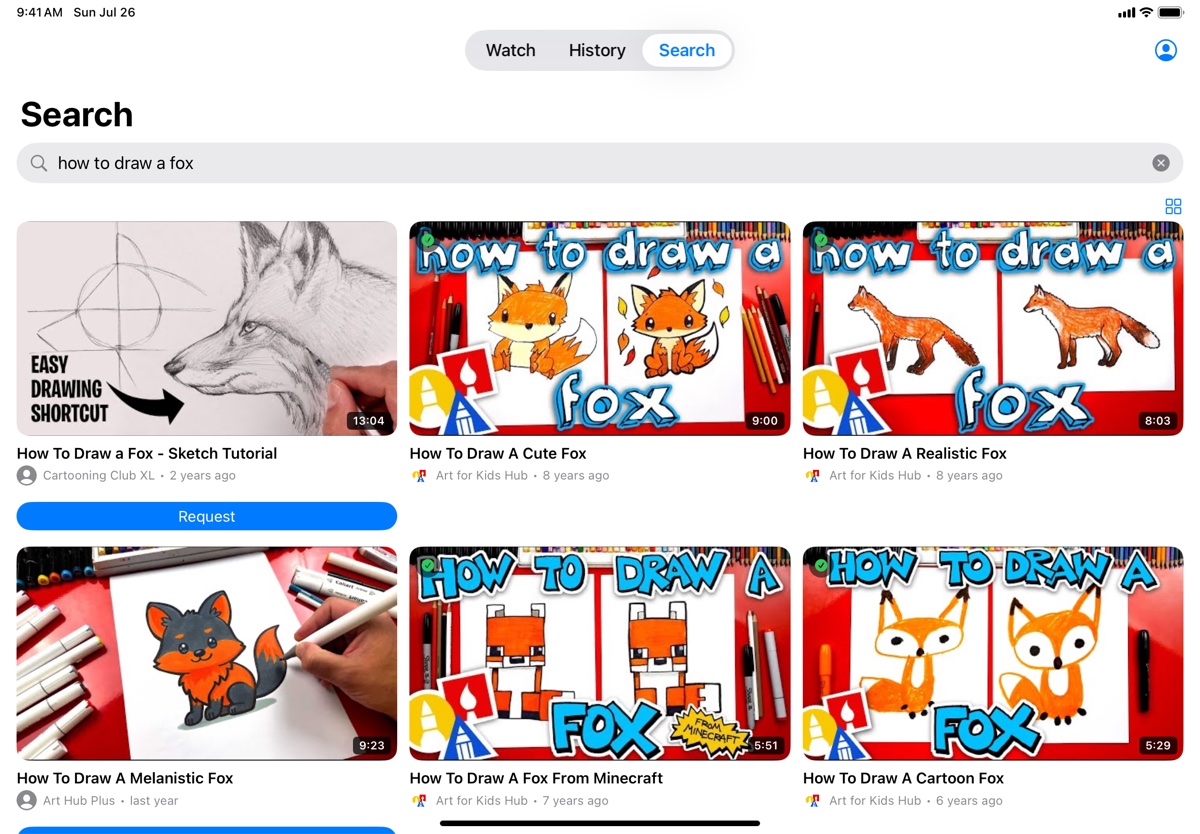
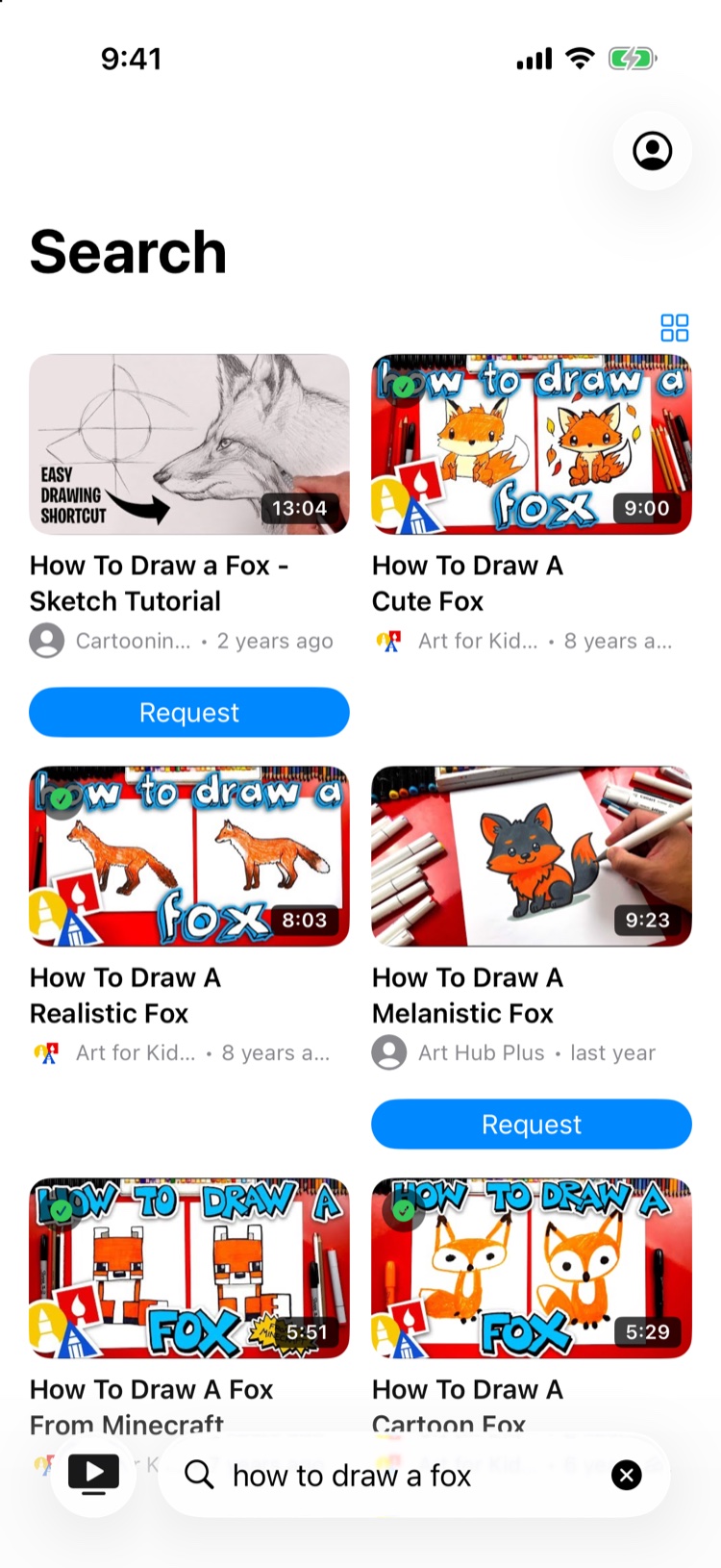
Search that asks before it plays
The parent app, on your phone
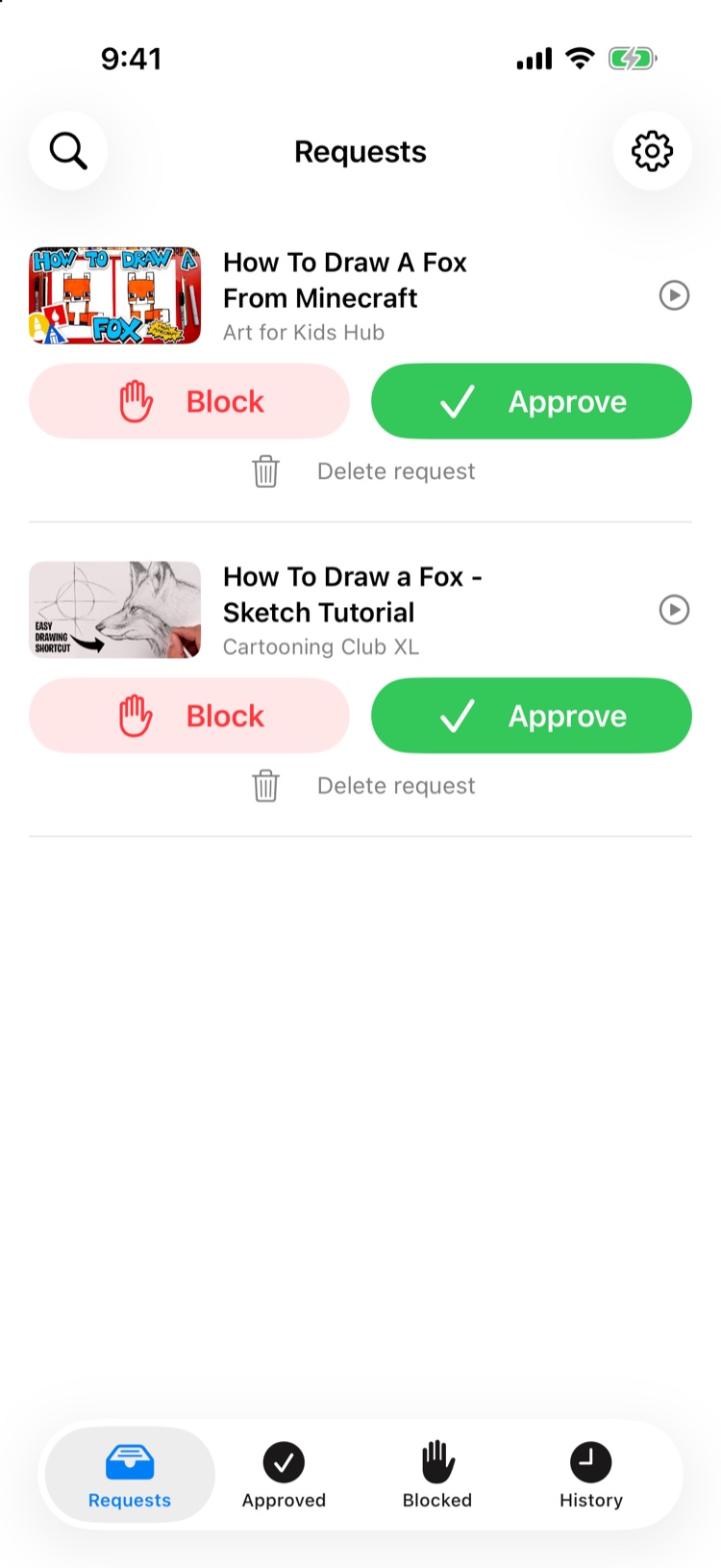
Approve or block in a tap
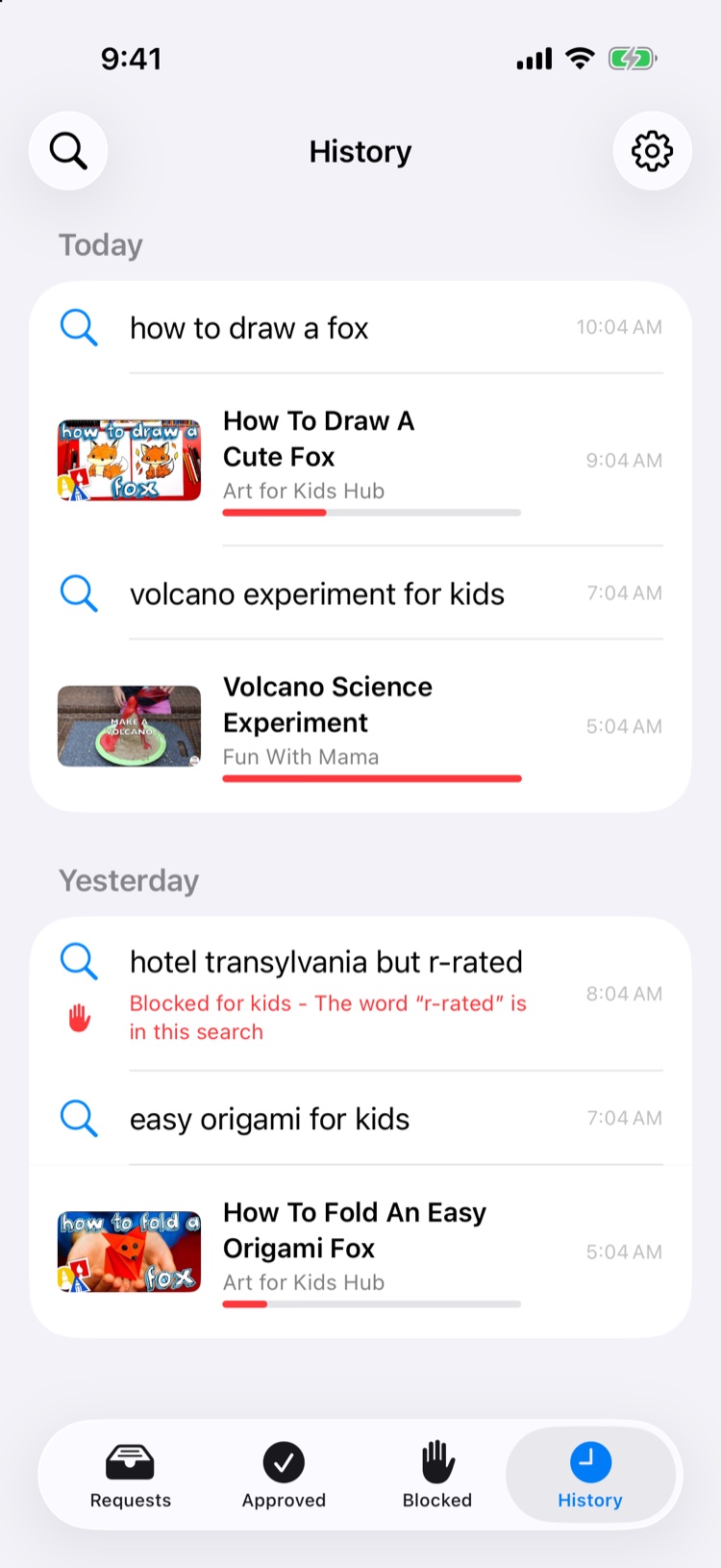
Everything watched and searched